ERP Inventory Management: What It Means and How It Works
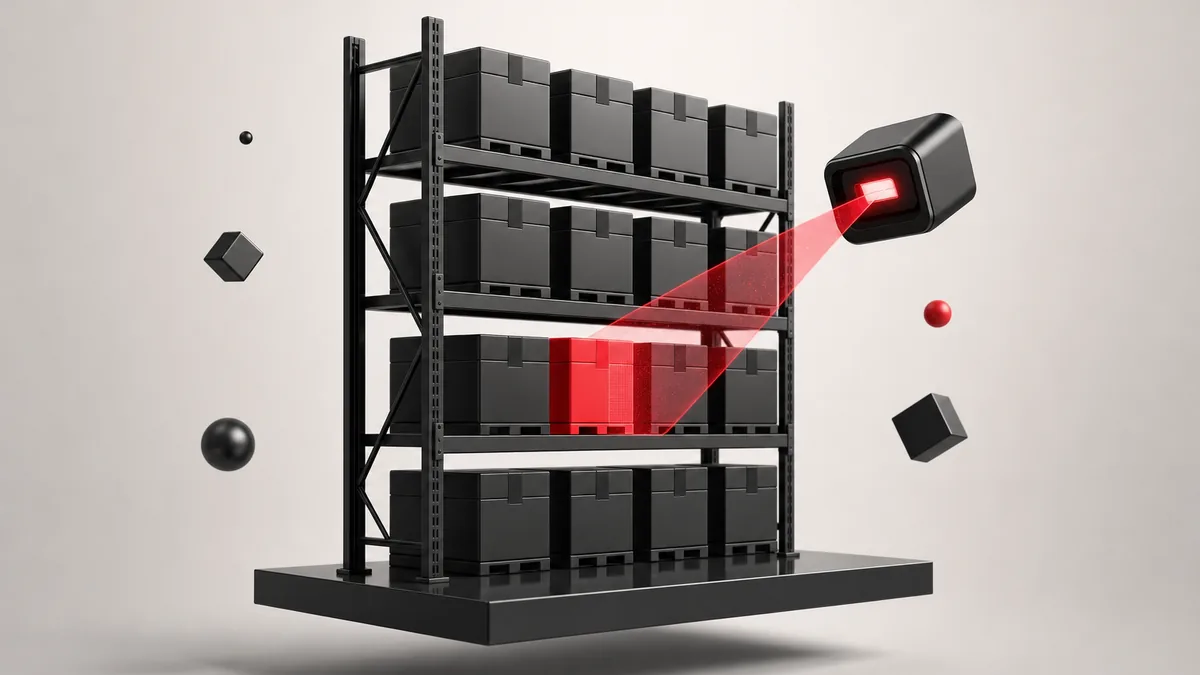
ERP inventory management is the process of tracking, controlling, and updating inventory through an Enterprise Resource Planning system.
Instead of managing stock in separate spreadsheets, warehouse tools, accounting software, or sales platforms, an ERP connects inventory data across the whole business. When stock is purchased, produced, moved, sold, returned, or adjusted, the system updates inventory records in real time.
This helps teams see what is available, where it is located, how much it costs, and when more stock is needed.
Why Inventory Management Matters in ERP
Inventory affects almost every department in a business.
Sales teams need to know what products are available. Procurement teams need to know when to reorder. Warehouse teams need accurate stock counts. Finance teams need correct inventory valuation and cost data.
Without a connected system, each department may work with different numbers. This can lead to stockouts, overstocking, delayed orders, manual errors, and inaccurate financial reporting.
An ERP solves this by keeping inventory data centralized and updated across departments.
Main Features of ERP Inventory Management
Real-Time Stock Tracking
ERP systems track inventory levels as products move through the business. This includes raw materials, work-in-progress items, finished goods, spare parts, and returned products.
For example, when a sales order is confirmed, the ERP can automatically reduce available stock. When a purchase order is received, the system increases inventory levels.
This gives businesses a live view of stock across warehouses, stores, production units, and sales channels.
Multi-Location Inventory Control
Many businesses store inventory in more than one place. This can include warehouses, retail stores, distribution centers, or third-party logistics locations.
An ERP helps track stock by location so that teams can see:
| Inventory Question | ERP Helps Answer |
|---|---|
| How much stock do we have? | Shows current quantity available |
| Where is the stock located? | Tracks inventory by warehouse or branch |
| Which items are running low? | Highlights products below reorder level |
| Which items are not moving? | Identifies slow-moving or dead stock |
| Can we fulfill this order? | Checks available stock before confirmation |
This is especially useful for businesses that sell through multiple channels or operate in different regions.
Automated Reordering
ERP inventory systems can notify teams when stock drops below a set level. In some cases, the system can also create purchase requisitions or purchase orders automatically.
This reduces the risk of stockouts and helps procurement teams plan purchases on time.
For example, if a company sets the reorder level for an item at 100 units, the ERP can trigger an alert when available stock falls below that number.
Inventory Valuation and Cost Tracking
Inventory is not only an operational asset. It is also a financial asset.
ERP systems connect inventory with accounting, so changes in stock value can be reflected in financial records. This helps finance teams track inventory costs, cost of goods sold, stock adjustments, and valuation changes.
Common inventory valuation methods include:
| Method | What It Means |
|---|---|
| FIFO | First items purchased are treated as the first items sold |
| LIFO | Last items purchased are treated as the first items sold |
| Weighted Average Cost | Inventory cost is calculated using the average cost of available stock |
| Standard Costing | Items are valued using a predefined standard cost |
The right method depends on the business type, accounting rules, and inventory structure.
Common ERP Inventory Workflows
ERP inventory management is usually connected with several business workflows.
| Workflow | How ERP Supports It |
|---|---|
| Purchase Management | Updates stock when goods are received from suppliers |
| Sales Management | Reduces available stock when orders are processed |
| Manufacturing | Tracks raw materials, work-in-progress, and finished goods |
| Warehouse Management | Manages picking, packing, transfers, and stock movements |
| Accounting | Updates inventory value, cost, and financial records |
| Reporting | Shows stock levels, demand trends, and inventory performance |
This connection is the main advantage of using ERP instead of standalone inventory software.
Benefits of Inventory Management in ERP
Fewer Stockouts
Stockouts happen when a business runs out of items customers need. ERP helps prevent this by tracking inventory levels in real time and warning teams before stock becomes too low.
Less Overstock and Deadstock
Overstock ties up cash and increases storage costs. Deadstock creates losses when products become outdated, damaged, or unsellable.
ERP reporting helps businesses identify slow-moving products and adjust purchasing decisions before inventory becomes a problem.
Reduced Manual Work
Manual inventory tracking often requires repeated data entry across multiple systems. ERP reduces this by updating connected modules automatically.
For example, one stock receipt can update purchasing, warehouse, and accounting records at the same time.
Better Forecasting
ERP systems use past sales, seasonal trends, purchase history, and stock movement data to support demand planning.
This helps businesses decide what to buy, when to buy it, and how much inventory to keep.
Improved Department Coordination
Because all teams work from the same system, there is less confusion between sales, warehouse, procurement, and finance.
This makes order fulfillment, purchasing, production planning, and financial reporting more reliable.
ERP Inventory Management by Business Type
Different businesses use ERP inventory features in different ways.
| Business Type | Inventory Needs |
|---|---|
| Retail | Stock availability, store inventory, returns, reorder alerts |
| Wholesale | Bulk stock control, order fulfillment, warehouse transfers |
| Manufacturing | Raw materials, production planning, work-in-progress tracking |
| E-commerce | Real-time stock sync across online stores and marketplaces |
| Distribution | Multi-location inventory, picking, packing, and shipping |
| Food and Pharma | Batch tracking, expiry dates, compliance, and traceability |
For example, a manufacturing company may focus heavily on raw materials and production inventory, while an e-commerce business may focus more on stock syncing, returns, and fast fulfillment.
Popular ERP Systems for Inventory Management
Many ERP platforms include inventory management features. The best option depends on business size, industry, budget, and operational complexity.
| ERP Provider | Best For |
|---|---|
| Oracle NetSuite | Cloud ERP for growing businesses with inventory and supply chain needs |
| Microsoft Dynamics 365 | Businesses already using Microsoft tools and needing strong supply chain features |
| SAP | Large enterprises with complex global inventory and manufacturing operations |
| Brightpearl | Retail and wholesale businesses managing omnichannel inventory |
| Odoo ERP | Small to medium-sized businesses needing a flexible and lower-cost ERP option |
Odoo ERP is often a practical choice for small and mid-sized companies because it offers inventory, sales, purchase, accounting, manufacturing, and warehouse modules in one connected system. It can be customized based on business needs without the cost level of many enterprise ERP platforms.
Final Summary
Inventory management in ERP helps businesses control stock from one centralized system. It connects inventory with sales, purchasing, warehouse, manufacturing, and finance, so every department works with the same updated data.
The main goal is simple: keep the right stock available at the right time, avoid unnecessary inventory costs, reduce manual errors, and improve business visibility. For companies that deal with physical products, inventory management is one of the most important ERP modules.
Ready to estimate your app cost?
Use our free calculator to get a personalised cost breakdown in 2 minutes.
Calculate Your App Cost