ERP for Retail: Choose and Implement the Right System for Your Business
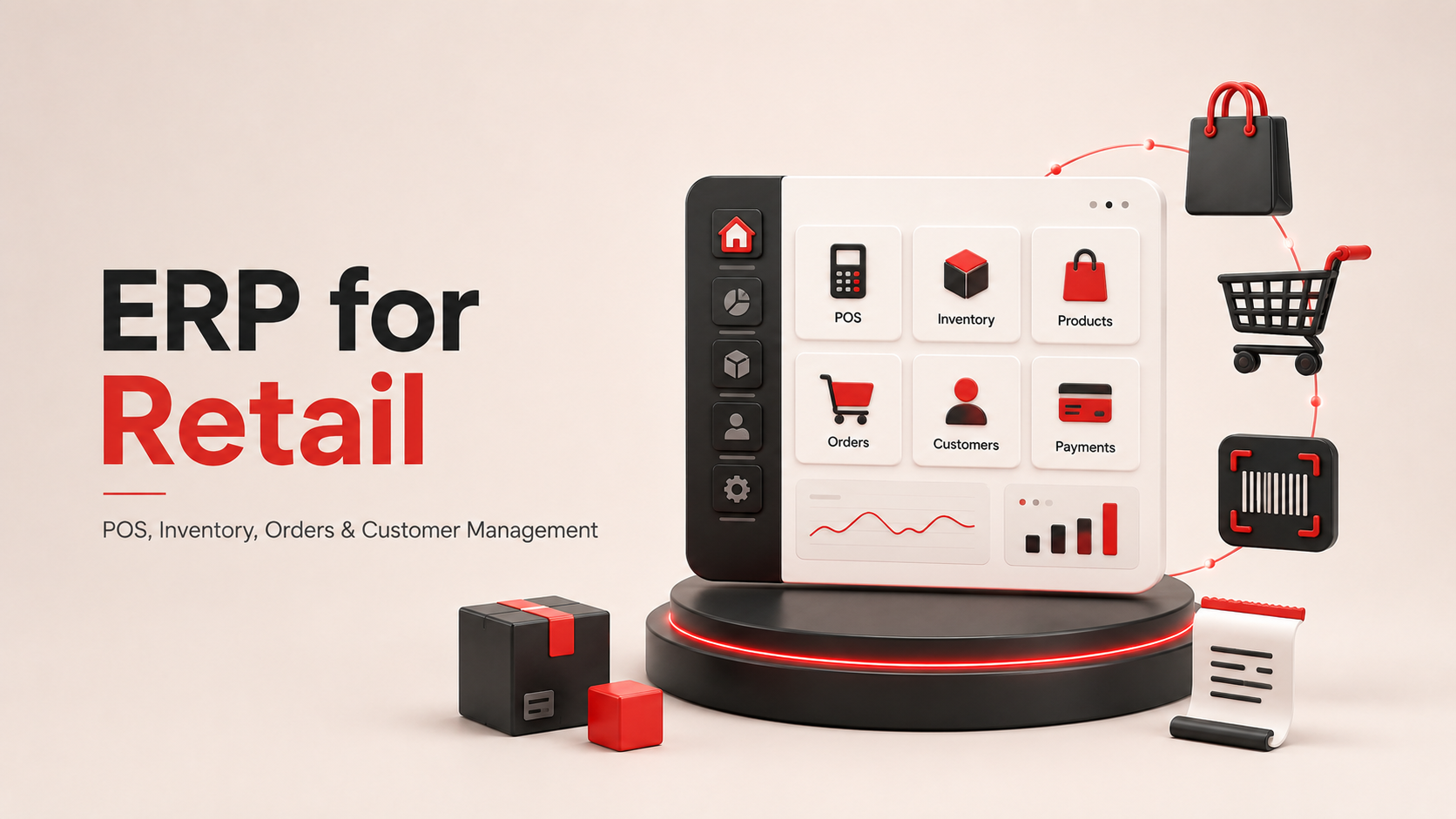
Retail runs on a thousand moving parts. A single Saturday can involve online orders, in-store checkouts, curbside pickups, warehouse transfers, supplier deliveries, and refunds. When those pieces sit in separate software, small mismatches turn into big problems fast: sold-out signs on stocked shelves, refunds that never hit the ledger, best-sellers gathering dust in the wrong warehouse.
Enterprise resource planning software fixes that fragmentation. A retail ERP pulls inventory, sales, finance, supply chain, and customer data into one connected system. The impact shows up in real numbers. IHL Group pegs the global cost of stockouts and overstocks at $1.7 trillion a year. The market for retail ERP is projected to grow from $10.34 billion in 2023 to $28.58 billion by 2032, which tells you where retailers are putting their money.
This guide covers what a retail ERP actually does, how it differs from a generic ERP, the modules that matter, the leading platforms, the traps to avoid during rollout, and how to pick the system that fits your business.
What Is Retail ERP?
A retail ERP is a software platform that connects the operational, financial, and customer-facing systems a retailer runs every day. Think of it as one central brain feeding every part of the business the same information at the same time.
When a customer buys a jacket at your Chicago store, the ERP updates the stock count, records the revenue, adjusts the general ledger, and pings the reorder queue if the item hit a threshold. The same jacket sold on your website triggers the identical chain. No spreadsheets. No batch uploads at midnight. No wondering whether the numbers you saw this morning are still accurate.
Retail ERPs typically include modules for inventory, point of sale, order management, warehouse operations, procurement, financial management, human resources, customer relationship management, and reporting. Some retailers use every module; others start with three or four and add capabilities as they grow.
The specific value comes from integration. A CRM alone can track a customer. An inventory system alone can count stock. A retail ERP knows the customer who bought the jacket last month, which store had it in her size, whether the vendor delivered on time, and how much profit that sale generated after shipping and returns. Those connections drive the decisions that separate retailers who grow from retailers who guess.
Retail ERP vs. Traditional ERP: The Real Differences
Generic ERPs were built for factories, contractors, and service firms. They handle bulk orders, long production cycles, and structured workflows. Retail runs on the opposite pattern: high transaction volume, thin margins, unpredictable demand, and customers who expect instant answers.
Four differences matter most.
Transaction volume and cadence. A manufacturer processes a few dozen large purchase orders a day. A retailer processes thousands of small consumer transactions, sometimes tens of thousands during holiday peaks. Retail ERPs are built to handle that volume without slowing down.
POS integration. Retail ERPs connect directly to cash registers and payment terminals. Every swipe updates inventory and financials in the same second. Traditional ERPs rely on periodic uploads, so the numbers you see are always slightly stale.
Omnichannel logic. A shopper might browse online, check inventory at three stores, buy in-app, and return the item at a fourth location. A retail ERP treats those events as one journey. A generic ERP treats them as four disconnected transactions.
Speed of change. Retail trends shift weekly. Retail ERPs come with pricing tools, promotional workflows, and seasonal planning built in. Manufacturing ERPs assume the same product will roll off the same line for two years.
Here's a quick comparison:
Dimension | Retail ERP | Traditional ERP |
| Built for | Consumer transactions, multichannel sales | Manufacturing, wholesale, project work |
| Transactions | High volume, small ticket | Lower volume, larger ticket |
| POS | Native integration | Bolt-on or unavailable |
| Inventory | Real-time across channels | Periodic updates |
| Time to value | Faster with built-in retail features | Requires customization |
If you sell to consumers across multiple channels, a retail-specific ERP or a general ERP with a strong retail module will save you months of custom development.
The Core Modules That Make a Retail ERP Work
The value of a retail ERP lives in its modules. Here are the ones that carry the most weight for retailers.
Multi-Location Inventory Management
You need to know what you have, where it is, and how fast it's moving. A retail ERP tracks stock across stores, warehouses, and distribution centers, updates counts as items sell, and flags low-stock situations before they become empty shelves. It also handles transfers between locations, so extra inventory at one store can rescue a shortage at another.
Point of Sale Integration
Native POS integration eliminates the daily upload ritual. When a cashier rings up a purchase, the inventory count drops, the customer profile updates, the sales figures adjust, and the finance module recognizes the revenue. This matters most during peak hours, when even a small lag can cause you to sell items you no longer have.
Order Management and Fulfillment
Modern retail runs on orders that start on one channel and end on another. Someone buys online and picks up in store. Someone in the store orders a size that ships from a warehouse. A retail ERP routes each order to the cheapest, fastest fulfillment path and keeps the customer updated at every step.
Demand Forecasting
Predicting demand used to be a guessing game. Now the ERP analyzes years of sales history, seasonal patterns, promotional lifts, and market trends to recommend how much of each SKU to order and when. Retailers who use forecasting well avoid two expensive mistakes: buying too much (which ties up cash) and buying too little (which forfeits sales).
Warehouse and Supply Chain Management
Goods have to move. A retail ERP coordinates suppliers, tracks shipments in real time, and optimizes how items flow from vendor to warehouse to store. Barcode scanning, pick-and-pack routing, and vendor scorecards all live in the same system, so you can spot a slow supplier or a jammed dock before it hurts sales.
Customer Relationship Management
Every purchase generates a data point. A retail ERP with CRM ties those points to real customers, so you can see who buys what, how often, and at what price. That knowledge fuels loyalty programs, personalized offers, and better service when a customer calls with a complaint.
Financial Management and Accounting
The ledger has to reflect what actually happened on the sales floor and in the warehouse. A retail ERP handles accounts payable, accounts receivable, tax compliance, cash flow, and financial reporting in one place. Month-end close moves from a two-week ordeal to a routine task.
Returns Management
Returns are a fact of retail life, and mishandled returns cost real money. A good ERP tracks the returned item, restocks it if resellable, issues the refund, updates the customer record, and adjusts revenue in a single flow.
Business Intelligence and Reporting
Dashboards and reports pull data from every module, so you can see sales by store, margin by category, staff productivity by shift, or supplier reliability at a glance. The insight matters, but so does the speed. A weekly report you get on Wednesday morning changes decisions in a way that a monthly summary never can.
Why Retailers Move to ERP: The Business Case
The pitch for retail ERP is not "better software." It's better outcomes.
Fewer stockouts and less overstock. Real-time inventory across locations means you know what you have and what you need. Retailers that fix stockouts often see immediate revenue lift, because customers who came for a specific item leave with it.
Faster response to demand. When a product starts trending, you see it in hours, not weeks. That gives you time to reorder, reprice, or reposition merchandise before the wave passes.
One version of the truth. Every team looks at the same numbers. Marketing, finance, operations, and store managers stop arguing about which spreadsheet is right. Decisions get made faster because nobody has to reconcile data first.
Automation of the boring work. Reordering, invoice matching, sales journal entries, and payroll runs happen without human input. Staff time shifts from data entry to customer service, planning, and merchandising.
Better customer experience. A retail ERP means your associate can tell a shopper exactly where the last blue medium is and reserve it with two taps. Online, it means accurate stock counts so no one gets a "sold out" email after checkout.
Scale without chaos. A second store, a new channel, or an international launch stops being a rebuild. You add locations or channels inside the existing system, and the workflows carry over.
Consider a mid-size fashion retailer opening its tenth store. Without a retail ERP, that opening involves setting up a new POS, a new inventory tracker, connecting to accounting, training staff on multiple systems, and hoping the data flows between them. With a retail ERP, the store is another location in the same system. Sales flow to the same finance module. Inventory ties to the same warehouse network. The launch happens in weeks instead of months.
Top Retail ERP Platforms
The market has a lot of options. Here are the platforms that show up most often in retailer shortlists.
NetSuite for Retail (Oracle). A cloud-native suite that covers financials, inventory, order management, POS, ecommerce, and CRM in one platform. Retailers like Lovesac, Studio McGee, and Touchland use it to run omnichannel operations at scale. Strong fit for growing businesses that want to consolidate systems.
Oracle Cloud for Retail. Built for large enterprises with global operations. Handles multi-currency, multi-country tax rules, and massive transaction volumes. Comes with AI-driven analytics for pricing, planning, and personalization. Best for retailers with the IT resources to support it.
Microsoft Dynamics 365 Commerce. Unifies in-store, online, and back-office operations. Deep integration with the wider Microsoft stack, including Power BI, Teams, and Azure. Popular with retailers already committed to Microsoft's ecosystem, including Columbia and Dr. Martens.
SAP Business One and SAP S/4HANA. SAP Business One targets small and mid-market retailers, while S/4HANA serves large enterprises. Both include retail-specific modules and support omnichannel operations. SAP has a long track record with retailers like Home Depot and Walmart.
Brightpearl (Sage). A retail-first platform built for high-volume ecommerce and multichannel operations. Handles thousands of orders a day, integrates with Shopify, Amazon, BigCommerce, and other marketplaces. Good fit for direct-to-consumer brands scaling past their first million in sales.
Acumatica Retail-Commerce Edition. Cloud-based ERP with a usage-based pricing model (unlimited users). Covers financials, inventory, order management, WMS, and CRM. Popular with growing multi-location retailers.
Priority. A modular ERP with a dedicated retail management system that includes ERP, unified commerce, and POS in one platform. Used by Naot Footwear, Cowtown, and Columbia Israel.
Odoo. Available in open-source and licensed editions, with a modular structure that lets small retailers start cheap and expand later. Covers POS, inventory, ecommerce, marketing, and financials.
Others worth evaluating. Infor, Epicor, Syspro, Aptean, Lightspeed, RELEX, Retail Pro, and Erply all serve specific segments well. If you have a niche need (grocery, apparel, luxury, quick service), ask vendors what retailers in your segment use their software today.
Implementation Challenges (and How to Handle Them)
Buying the software is the easy part. Rolling it out is where projects succeed or stumble.
Data migration. Years of customer records, product catalogs, sales history, and financial data have to move to the new system. Duplicate records, missing fields, and inconsistent formatting can wreck the transition. Fix the mess before you migrate. Audit and clean the data first, then run a test migration to catch problems.
Integration with existing tools. Your POS, ecommerce platform, marketing tools, and shipping software probably all touch the ERP. Getting them to talk to each other cleanly takes time. Ask vendors for a list of native connectors and API documentation before you sign.
User adoption. Staff who spent five years mastering the old system will not automatically love the new one. Involve store managers and floor staff in the selection process. Train early and often. Show people how the new tool makes their job easier, not harder.
Cost creep. The software license is one line on the budget. Implementation, customization, training, hardware, ongoing support, and integration development can double or triple the sticker price. Ask for a total cost of ownership estimate over three years, not just year one.
Operational disruption. Productivity dips during go-live. Plan the rollout for a slow season if possible. Run the old and new systems in parallel for a defined window. Have extra staff on hand for the first two weeks after cutover.
Phased rollouts work better than big-bang launches for most retailers. Start with one store or one function, learn what works, then expand. The extra time up front pays back in fewer surprises later.
How to Choose the Right Retail ERP
Six factors matter most when you're comparing platforms.
Business size and complexity. A single-store boutique needs less than a fifty-store chain. Don't overbuy. Complex features you never use still cost money and slow down the team.
Industry-specific needs. Grocery needs shelf-life tracking and cold-chain support. Fashion needs size and color variant management. Furniture needs configurable products and long lead-time forecasting. Ask vendors to demo scenarios from your segment, not generic use cases.
Integration requirements. Make a list of every system the ERP has to connect to: POS, ecommerce, payments, shipping, marketing, accounting, and any specialized tools. Verify that connectors exist or that the vendor can build them.
Scalability. The system that fits today should still fit in five years. Ask about performance at higher transaction volumes, additional locations, and new channels. Cloud ERPs usually scale more gracefully than on-premise systems.
Total cost of ownership. Add up licensing, implementation, hardware, training, integrations, and annual support. Compare that number, not the monthly fee. Cloud ERPs often win on TCO because the vendor handles infrastructure, updates, and security.
Vendor reputation and support. Talk to current customers in retail. Ask about response times, upgrade cycles, and how the vendor handles problems. A great product with weak support turns into a headache within a year.
Score each vendor on all six dimensions, then weight the scores by what matters most to your business. The top score is not always the right pick. The right vendor is the one whose product fits your operation and whose team you trust to be there for the long haul.
Retail ERP in Action: Three Case Studies
Lovesac. The Stamford-based furniture company chose NetSuite to support its push toward becoming a billion-dollar business. NetSuite handles inventory, financials, and order management across ecommerce and physical stores. CEO Shawn Nelson calls the platform "the centerpiece of our entire business operations." The company can launch new product lines, manage a subscription sales model, and expand without adding operational overhead.
Studio McGee. The Draper, Utah interior design firm and home furnishings retailer runs on NetSuite to keep up with rapid growth and high-volume online sales. Josh Batchelor, VP of technology at Studio McGee, describes the impact this way: they use NetSuite as the source of truth for company data, which simplifies decisions across the business.
Touchland. The Miami-based hand sanitizer brand expanded to 4,000 retail stores in 12 months with NetSuite handling financials, inventory, and reporting. Founder Andrea Lisbona credits the platform's insights and reporting for helping the company understand market opportunities and hit retail shelves at scale.
Different retailers. Different products. Same pattern: one system for the whole operation, and the operation moves faster.
Where to Go From Here
Retail ERP is not a magic fix. It's a foundation. The right platform gives you the data, workflows, and integrations to run a smarter operation. The wrong one adds cost and complexity without solving the underlying problems.
Start with your pain. Which parts of your operation break most often? Where do errors cost you the most? Where do decisions get delayed by missing data? A retail ERP earns its price when it solves those specific problems, not when it checks every feature box.
Shortlist three vendors. Demo real scenarios from your business. Talk to their customers. Ask hard questions about implementation, integration, and support. Then pick the partner who can grow with you for the next decade, not just the vendor with the best sales pitch.
The retailers who win in the next five years will be the ones who see their whole operation in one view, act on trends before competitors notice them, and give customers the same great experience whether they shop online, in store, or on a phone. A retail ERP is how you get there.
Frequently Asked Questions
What does a retail ERP actually cost? Small retailers often start around $10,000 to $50,000 a year for cloud ERPs with basic modules. Mid-market implementations typically run $100,000 to $500,000 including software, setup, and training. Enterprise deployments can exceed $1 million. Ask vendors for a three-year TCO estimate that includes licensing, implementation, and ongoing support.
How long does implementation take? Simple cloud ERPs go live in two to four months. Mid-market projects usually run six to twelve months. Complex enterprise rollouts with multiple locations and heavy customization can take eighteen months or more. Phased rollouts often finish faster than all-at-once launches.
Do we need to replace our POS? Not always. Many retail ERPs integrate with major POS systems, so you can keep what works. If your POS is limiting your growth, replacing it during the ERP rollout often makes sense.
Is a retail-specific ERP better than a generic ERP with a retail module? It depends on your operation. Retail-first platforms like Brightpearl come with retail workflows built in and go live faster. Generic ERPs with retail modules offer more flexibility if you have unusual requirements or plan to expand beyond retail.
What's the biggest reason ERP projects fail? Poor change management. The software works when people use it. Involve staff in the selection, train them well, and communicate throughout the rollout. Everything else is secondary.
Ready to estimate your app cost?
Use our free calculator to get a personalised cost breakdown in 2 minutes.
Calculate Your App Cost