What is ERP(Enterprise Resource Planning)?
What is ERP (Enterprise Resource Planning)
ERP stands for Enterprise Resource Planning. It's a software platform that pulls the major parts of a business — finance, HR, inventory, supply chain, manufacturing, procurement — into one connected system.
Instead of your sales team using one tool, accounting using another, and the warehouse running on spreadsheets, everyone works off the same database. When a sale is logged, inventory updates, finance sees the revenue, and the warehouse gets the order automatically.
That's the whole idea: one system, one source of truth.
Key Aspects of an ERP System
A few things separate an ERP from regular business software:
Centralized data. Every department reads from and writes to the same database. No more emailing spreadsheets back and forth or arguing over whose numbers are right.
Core Modules. An ERP is built as a collection of modules, each handling a specific function:
- Finance (general ledger, accounts payable and receivable, tax, reporting)
- HR (payroll, onboarding, benefits)
- Inventory (stock levels, reorder points, warehouse tracking)
- Procurement (vendors, purchase orders, contracts, approvals)
- CRM (customer info, sales pipeline, leads, support)
- Project management (tasks, budget, timelines)
- Business intelligence (dashboards, reports)
You don't have to use every module. Most companies start with finance and add others as they grow.
Automation. Routine work — generating invoices, calculating taxes, reordering stock when it hits a threshold, closing the books — runs without manual effort.
Standardization
ERP enforces consistent workflows, naming conventions, and processes across the organization.
Real-time insights
Data is updated instantly, allowing management to monitor operations and make decisions without delays.
Security
A centralized system simplifies access control and protects sensitive business data.
Types of Deployment
There are three ways to run an ERP, and the right one depends on your size, budgetnand how much control you want.
1. Cloud-based ERP
Hosted by a vendor and accessed via the internet.
- Scalable and flexible
- Lower upfront cost
- Accessible from anywhere
- Vendor handles maintenance
2. On-premises ERP (Custom ERP Development)
Installed on a company’s own servers.
- Full control over system and data
- Higher upfront cost
- Requires in-house IT management
3. Hybrid ERP (Two-tier)
Mix of cloud and on-premises.
- Core systems stay on-premises
- Other functions run in the cloud
- Offers flexibility based on business needs
Benefits of ERP
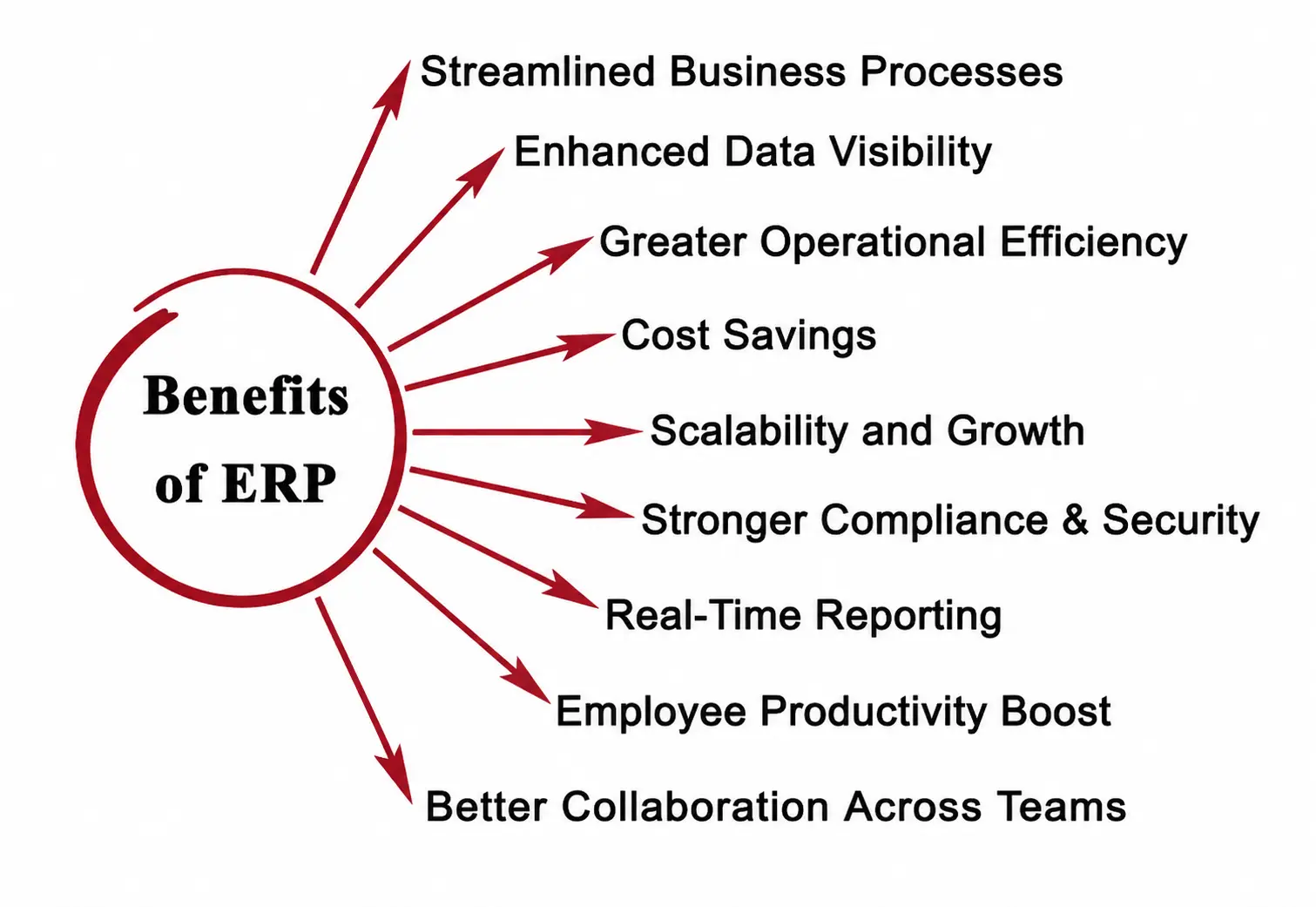
Why companies put up with the cost and complexity of an ERP:
- No more data silos. Sales, finance, and operations all see the same numbers.
- Faster decisions. Real-time data means you don't wait for month-end reports to know how the business is doing.
- Less manual work. Automation handles repetitive tasks so people can focus on actual work.
- Better forecasting. When you can see inputs from every department, planning gets sharper.
- Standardized processes. Everyone follows the same workflows, naming conventions, and approvals.
- Stronger security. Instead of patching together security across five tools, you secure one system.
- Easier compliance. Tax, audit, and reporting requirements are baked in, not bolted on.
ERP vs CRM
These two often get confused, so here's the simple version.
ERP runs the back of the house. Finance, inventory, HR, supply chain, manufacturing — the operational machinery that keeps the business running.
CRM runs the front of the house. Sales pipelines, customer interactions, marketing campaigns, support tickets — anything involving the people who buy from you or might.
ERP wants efficient operations. CRM wants happy customers.
In practice the two overlap. Most modern ERPs include a CRM module, and most CRMs can sync with ERPs. The integration is genuinely useful: if your CRM knows a customer reorders every 90 days, your ERP can make sure the inventory and staff are ready.
If you only need one to start with: pick CRM if your bottleneck is winning customers, pick ERP if it's running operations.
Popular ERP Vendors
The market is crowded, but a handful of names come up over and over:
- SAP. The giant. Strong in manufacturing and large enterprises. S/4HANA is its flagship product. Very expensive for mid-sized and small businesses.
- Odoo. Open-source, modular and significantly cheaper than the big players. Popular with small and mid-sized businesses that want flexibility without enterprise pricing. You can start with one or two modules and add more as you grow.
- Oracle (NetSuite). Cloud-first, popular with mid-sized companies. NetSuite is its small-to-mid-market offering.
- Microsoft Dynamics 365. Modular, integrates well with the rest of the Microsoft stack (Office, Teams, Azure).
- Workday. Strong in HR and finance, common in services and tech companies.
- Infor. Industry-specific ERPs for manufacturing, healthcare, and distribution.
- IBM. Cloud ERP solutions, often paired with consulting services.
These platforms offer different strengths, but all aim to unify business processes into a single system.
The right choice depends less on which vendor is "best" and more on your industry, size and budget. A 30-person company doesn't need SAP. A 30,000-person manufacturer probably does.
Ready to estimate your app cost?
Use our free calculator to get a personalised cost breakdown in 2 minutes.
Calculate Your App Cost